
Whistleblowing procedure
Procedure for complaints and notices
Responsible, ethical and lawful conduct is a top priority for Telefónica Germany in its own business activities and in its relationships with its business partners, customers and other stakeholders.
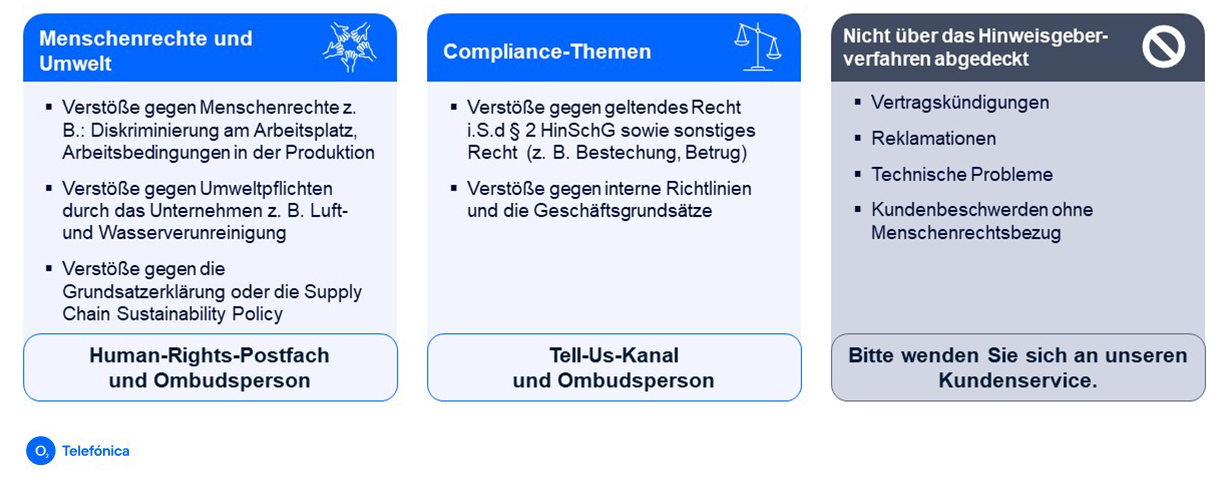
Telefónica Germany has established a whistleblowing procedure that allows individuals, companies, and other organisations, such as non-governmental organisations, to report human rights and environment-related risks or violations, as well as violations of applicable law or internal guidelines and business principles. An overview of human rights and environmental issues can be found at the bottom of this page. No general customer complaints will be processed via the complaints channels of the whistleblowing procedure.
The purpose of the whistleblowing procedure is to ensure that all reports submitted are examined in a confidential, transparent and fair manner. Reports can also be submitted anonymously and are handled in accordance with the data protection regulations. Discrimination or punishment against informants will not be tolerated by Telefónica Germany.
Reporting Channels
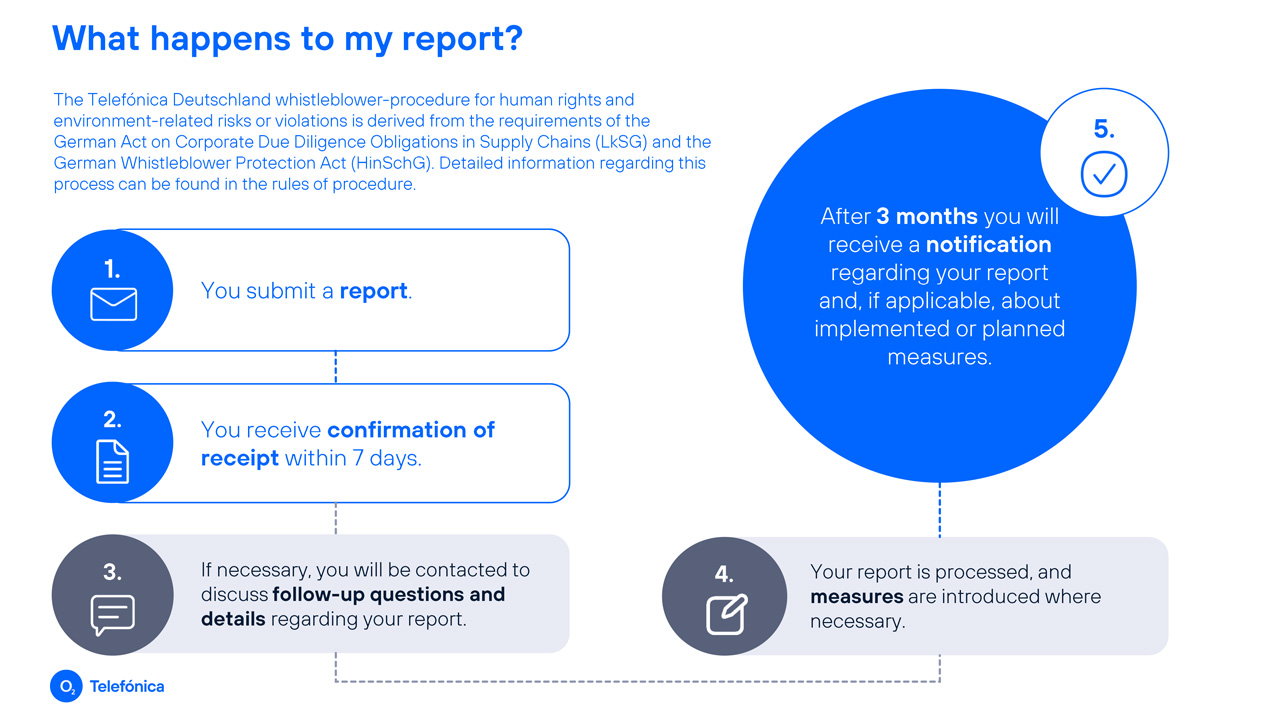
The steps of the whistleblower procedure
Rules of Procedure
Complaints procedure / whistleblowing procedure
1. What is the whistleblower procedure?
2. How are informants protected?
3. Who can make a report?
4. What topics does the whistleblower procedure cover?
5. How can reports be submitted?
6. Can reports also be submitted anonymously?
7. What information should a report contain?
8. Who is responsible for processing the reports received?
9. What happens after a report is submitted and how quickly are reports processed?
10. Can a report also be submitted to external reporting offices?
11. Privacy information for Whistleblowers
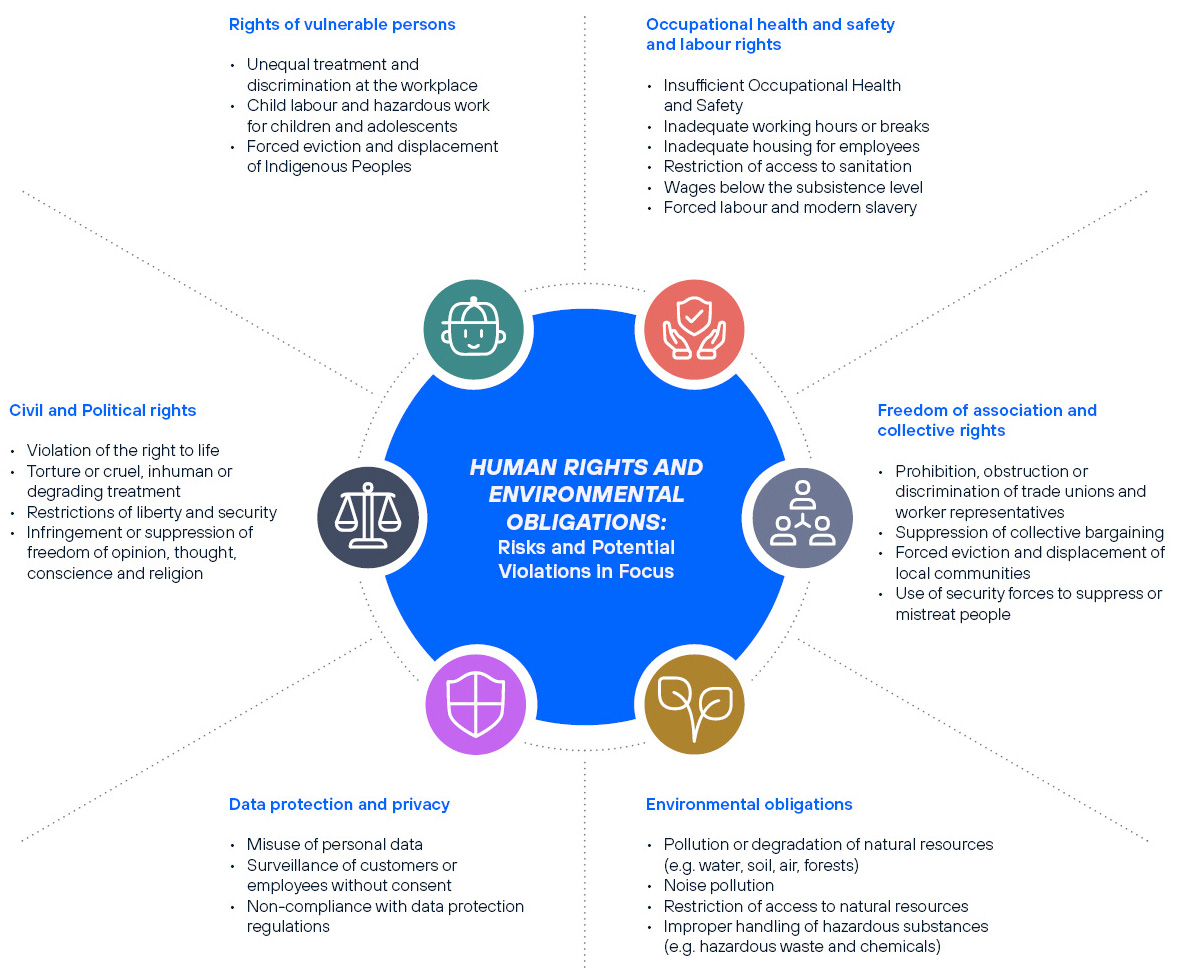
Text version of the graphic
Website in your language
How the translation works
Would you like to read this page in another language?

Simply select the text you want to translate. As soon as you select it, a translation icon will automatically appear. Click on it to select the desired language and display the translated content.
Application example